
AI Hairstyle Try On & Color
Vit Corp.Art & Design
4.3121.00 Reviews
- Version
- 1.3.1
- Installs
- 1.00M
- Age Rating
- Everyone
Screenshots
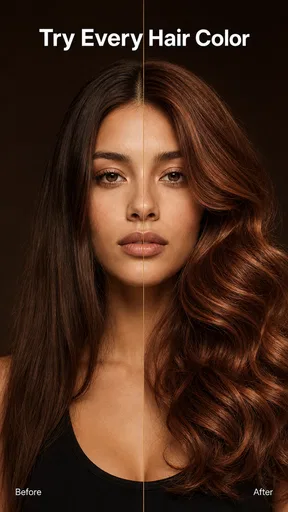
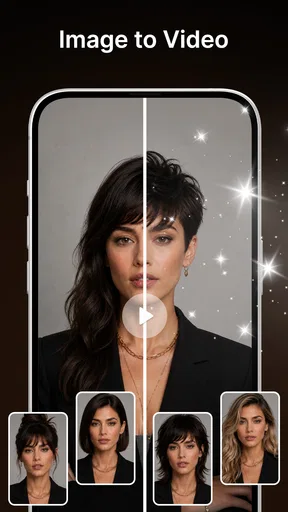
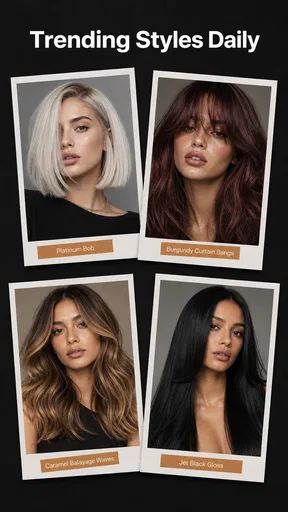
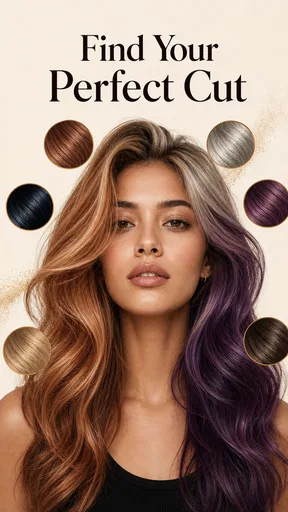
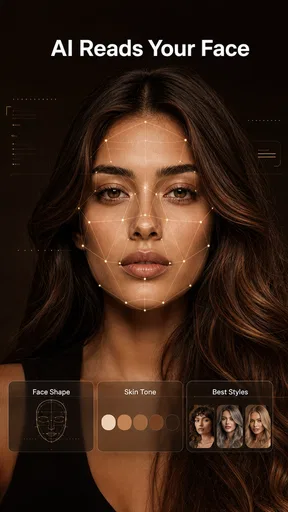
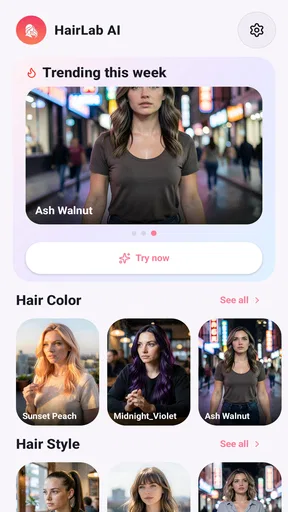
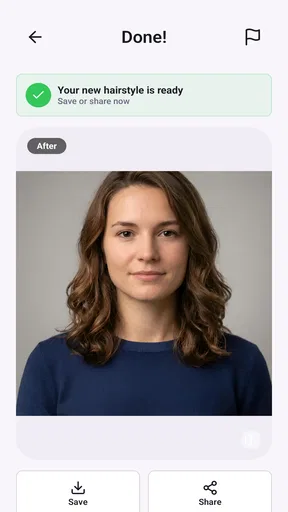
Our Review of AI Hairstyle Try On & Color
 Analysis by Appyee
I approached AI Hairstyle Try On & Color as a decision tool rather than a simple novelty filter. The basic idea is easy to understand: use a photo of yourself to explore different haircuts, colors, and styles before making a real-world change. That makes it relevant to anyone who is undecided before a salon visit, curious about a dramatic color, or simply looking for a low-risk way to compare possibilities.
My overall impression is that it is most useful when I treat the results as visual direction, not as a promise of exactly how my hair will look after a cut or dye. A phone image can help me decide whether I prefer a shorter outline, a warmer tone, or a more noticeable change, but it cannot fully reproduce texture, lighting, density, or the skill of a stylist. That distinction is important, and it shapes whether this free Art & Design app is worth keeping.
How I Decide Whether It Is the Right Hairstyle App
I judge a hairstyle app by whether it helps me make a clearer choice, not by how many striking previews I can collect. Here, I’ll focus on turning a quick experiment into a useful shortlist: what I would compare, what I would keep, and when I would stop browsing and ask a stylist. That distinction matters once the first burst of curiosity wears off.
Start with the question you actually need answered
The best reason to use this app is not “I want to see every possible hairstyle.” That approach can become distracting very quickly. I get more value when I begin with a practical question: Would a shorter style suit me? Does a darker shade feel more natural? Would a bold color be enjoyable without making me regret the decision? Narrowing the question makes the generated comparisons easier to judge.
I also look at how much certainty I need. If I only want inspiration for a conversation with a stylist, an approximate preview can be enough. If I am about to make a major, difficult-to-reverse color change, I would use the app as one reference among several, not as the final authority. The preview can show the general direction while a professional can explain upkeep, bleaching, damage, and how the result may behave on my actual hair.
Photo quality matters more than most people expect
My first practical tip is to choose a clear, front-facing photo with the hair visible around the face. A crowded background, heavy shadow, hat, or hair covering the forehead can make the comparison less useful. I prefer a recent image with a relaxed expression and fairly even light. This is not just about making the picture look nicer; it gives the app a cleaner starting point for placing a different cut or color.
I would also keep the original photo unchanged and compare previews beside it rather than relying on memory. That makes it easier to notice whether I genuinely like the proposed style or whether the novelty of the edit is doing all the work. For subtle colors, I find it especially helpful to view the result at normal screen brightness, because an exaggerated display setting can make a shade seem more intense than it may feel in everyday life.
Think in groups instead of judging isolated images
A useful workflow is to test a small set of contrasting directions: one conservative cut, one noticeably shorter option, one lighter color, and one deeper or warmer shade. This creates a personal comparison rather than a random gallery. I can then ask which change improves the overall balance of the face and which one only looks interesting because it is unfamiliar.
This approach also reveals a trade-off that a single preview hides. A style can look appealing in a still image but require more daily effort than I want to spend. A vivid color may be fun for a short period but demand repeated maintenance. A very short cut may look clean in the preview while removing the flexibility I rely on when styling my hair. The app helps me notice these preferences, but I still have to supply the lifestyle judgment.
What the app is and who maintains it
This is a free app in the Art & Design category from Vit Corp., aimed at visual experimentation rather than professional salon planning. Its age rating is Everyone, so it is positioned as an accessible tool for a broad audience. The current version is 1.2.1, and it runs on Android 7.0 or later, which makes it available to people using older compatible devices as well as newer phones.
The app has reached over one million installs and holds an average rating of 4.0 from around two thousand ratings. I read that as a sign of useful mainstream appeal, but not as proof that every preview will be convincing on every face or phone. The experience depends heavily on the source photo and on how closely the chosen style matches what a person is trying to evaluate.
Where AI Hairstyle Try On & Color Works Best
The app is most helpful when I have a real decision in front of me, such as preparing for an appointment or weighing a subtle refresh against a dramatic change. I’ll look at how to make those previews serve a practical purpose, including a way to compare options without letting one flattering image decide everything. The next section considers when that approach is a better fit than other tools.
It lowers the emotional cost of trying something different
The strongest advantage is psychological. Hair decisions can feel surprisingly personal, especially when the change involves cutting away length or moving toward a color I have never worn. Seeing a simulated direction first gives me a way to discuss the idea without committing immediately. Even an imperfect preview can answer a useful question: do I feel excited by this change, or am I only interested because it is new?
That makes the app particularly handy before booking an appointment. Instead of telling a stylist “something shorter” or “a little warmer,” I can bring a clearer idea of the direction I prefer. I would still explain that the image is a reference, because a stylist may need to adapt the shape to my hair texture and condition. The app is better at helping me communicate a preference than at replacing that consultation.
A realistic everyday use case
Imagine that I have a work event in a few weeks and want a visible refresh without taking a major risk. I could use a current photo, compare a modest change with a more dramatic one, and save the option that feels most believable. Then I could show that comparison to a stylist and ask what version is achievable with my present length and color. If the bold option looks appealing but the maintenance sounds excessive, I already have a safer alternative to discuss.
The same process works for someone growing out a haircut. Rather than repeatedly trimming without a plan, I can explore whether I prefer to keep the length, reshape the front, or move toward a shorter style. It is also useful before a family event or a personal milestone, when I want to make a thoughtful decision instead of experimenting minutes before leaving home.
Color exploration is useful, but it needs cautious interpretation
Color previews are valuable for comparing broad families of shades. I can decide whether I am drawn toward a cooler, warmer, darker, or more expressive direction. That is often enough to turn vague curiosity into a specific conversation. The app is especially helpful when I am stuck between two ideas that sound similar in words but feel very different when placed on my face.
However, I would not use a preview to estimate the exact dye formula or the number of salon sessions required. Existing color, natural undertones, previous treatments, and hair condition all affect the real result. A simulated bright shade may look immediately achievable even when reaching it would require significant lightening. The practical insight here is to use the image to choose a mood and intensity, then ask a professional about the route to get there.
It can help separate face preference from trend pressure
Another less obvious benefit is that repeated comparisons can reveal what I actually like. Trends often make me think I want a certain cut, but placing several styles on the same photo helps me notice whether I prefer volume, a clean outline, visible length, or a softer frame around the face. I can then choose based on my own reaction rather than on a style that happens to be popular in a feed.
I find this most useful when I test one familiar option alongside several adventurous ones. If I keep returning to the familiar shape with a slightly different color, that tells me something. If the shortest option consistently feels more confident, I have a stronger reason to ask about it. The app becomes a small decision exercise instead of an endless stream of attractive edits.
What the free download really means
The app is free to download, which makes trying the basic concept low risk. There are in-app purchases priced from $19.99 to $38.99 per item, so I would pay attention to what is available without spending and decide whether the paid options are genuinely useful for my situation. A free entry point is helpful, but it should not be confused with unlimited access to every possible part of the experience.
My advice is to establish a clear purpose before considering a purchase. If I only need a couple of comparisons before a haircut, I would not assume that paying is necessary. If I am using the app repeatedly to plan a major change, I would first check whether the additional value is meaningful to me rather than buying simply because I want more variety. The cost matters most when the app is being used as a recurring styling reference rather than a one-time experiment.
Small workflow choices improve the results
I would take screenshots or keep a short selection of the most convincing previews before trying many more. This prevents the useful comparisons from getting lost in a long session. I would also label the images mentally by purpose: “safe change,” “maintenance concern,” or “conversation starter.” That sounds simple, but it stops me from treating every attractive result as an equally realistic plan.
For an especially important decision, I would repeat the comparison with another recent photo taken in ordinary lighting. If the same general direction still appeals to me, my preference is probably more reliable than it would be from one carefully chosen image. If the result changes dramatically, that is a warning to treat the visualization as inspiration only.
Where Other Options May Fit Better
A photo-based preview is not the right answer to every hair question, especially when the decision depends on texture, condition, or technical color work. I’ll explain where a stylist, real reference photos, or a manual editing approach can give me more dependable guidance, and how to recognize when a generated image is setting unrealistic expectations. That helps frame the app’s limits as part of choosing well.
When a salon consultation is the better tool
I would choose a stylist over this app when the decision depends on technical details. That includes correcting an uneven color, dealing with damaged hair, matching a precise shade, or selecting a cut that must work with a strong curl pattern or unusual growth direction. A professional can examine the hair itself, ask about daily styling, and explain what is realistic without relying on a flat image.
The app can help me arrive at that appointment prepared, but it cannot replace the hands-on part. Someone who wants a dependable plan for a complex transformation should use the preview as a discussion aid and let the stylist determine the safest method. In this situation, the alternative is better because the main problem is not imagination; it is execution.
When a standard photo editor is more appropriate
A conventional photo editor may suit me better if I want precise manual control over a particular image. Such tools are often preferable for adjusting tone, adding notes, comparing saved photographs, or creating a mood board from real reference pictures. They require more effort, but they can be useful when my goal is presentation rather than an automated hairstyle experiment.
I would also favor a general editor when I already have a specific haircut reference and want to organize several images for a stylist. This app is designed around trying hair directions on my own photo, while a manual workflow can give me more control over the surrounding context. The choice comes down to speed versus flexibility: this app is quicker for exploration, while a manual editor can be more deliberate.
When hairstyle galleries and human references win
Real hairstyle galleries remain valuable because they show texture, movement, and styling from more than one angle. If I have thick, fine, curly, coily, or heavily layered hair, I want references that resemble my actual hair rather than relying only on a generated overlay. A real photograph may communicate how a style behaves during an ordinary day more honestly than a polished preview.
I would combine both approaches when possible. I can use the app to see whether a general silhouette or color direction appeals to me, then search for real examples with similar hair characteristics. That two-step process avoids one of the biggest mistakes in virtual try-on tools: confusing a flattering visual concept with a practical match for my own hair.
Privacy and comfort should influence the decision
Before using any photo-based app, I consider whether I am comfortable selecting a personal image for this kind of experiment. I avoid using pictures that include other people, sensitive backgrounds, or information I would not want included in an app session. I also prefer to understand the app’s on-screen prompts and permission requests before proceeding, rather than approving everything automatically.
This is not a criticism unique to this product; it is a sensible habit for any tool that works with personal photographs. Someone who is very cautious about image-based services may prefer a salon consultation, a physical wig, or a manual reference board. Those alternatives involve more effort, but they may feel more comfortable for users who do not want to experiment digitally.
The cost of switching between options
Moving from this app to a stylist is easy because the previews can serve as conversation starters, but the expectations need to change. The app offers quick visual exploration, while the stylist offers judgment about feasibility and maintenance. Switching to a photo editor takes more manual work but may produce a more customized presentation. Moving to real hairstyle references takes longer to research, yet it gives stronger evidence about texture and everyday wear.
The cost of staying with the app is mainly the risk of overtrusting a flattering simulation. The cost of abandoning it is losing a fast way to narrow down ideas before asking for professional advice. For me, that makes the best workflow a hybrid one: use the app early, keep the shortlist small, and bring the most realistic direction into a real consultation.
My Recommendation After Using It as a Decision Guide
My recommendation depends less on whether the app is entertaining and more on whether I expect to use it again after settling on a style. I’ll bring together its practical role, the effort needed to get useful comparisons, and the reasons some people may prefer a different route. The goal is a simple decision: try it for a focused visual check, or choose a more hands-on option for a more exact answer.
Who should try it
I recommend it to people who are curious about changing their haircut or color but struggle to picture themselves with something different. It is a good fit for a person preparing for a salon appointment, comparing a safe refresh with a bold change, or trying to explain a vague idea more clearly. It is also approachable for casual experimentation because it is free to start, rated Everyone, and supports devices running Android 7.0 or later.
I would especially suggest it to someone who tends to make decisions based on impulse. A short comparison session can create enough distance to ask whether a style fits their routine, budget, and willingness to maintain it. That pause is more valuable than the novelty of any individual preview.
Who should skip it or use it only briefly
I would not make it the main tool for a technically demanding transformation, a precise color correction, or a cut that must accommodate difficult hair behavior. It is also not the right choice for someone seeking a guaranteed preview of the finished salon result. In those cases, a stylist, real reference photos, or a physical try-on option may provide more dependable guidance.
I would also be cautious about paid items priced from $19.99 to $38.99 each. Those purchases may make sense for a committed user, but they are difficult to justify if I only want one quick idea. I would first confirm that the free experience answers my question and that I will use the extra content enough to make the expense worthwhile.
Final verdict
After weighing the alternatives, I see this as a convenient first step for hairstyle decisions, not a replacement for professional advice or real-world references. Its value comes from reducing uncertainty: I can test a direction, notice my reaction, and arrive at a clearer decision before changing my hair. The strongest results come from good photos, small comparisons, and realistic expectations about what an image can show.
With over one million installs and a 4.0 average from around two thousand ratings, it has clearly found an audience, while the current version 1.2.1 keeps it positioned as an actively usable choice for compatible Android phones. My recommendation is straightforward: try it if you want fast visual guidance and are willing to treat the results as suggestions. Use the preview to start a better hair conversation, not to skip the conversation altogether.
Privacy and Permissions
See what permissions an app requests and how it handles your data.
- Photos/Media/Files
- read the contents of your USB storage, modify or delete the contents of your USB storage
- Storage
- read the contents of your USB storage, modify or delete the contents of your USB storage
- Wi-Fi connection information
- view Wi-Fi connections
- Other
- view network connections, full network access, control vibration, prevent device from sleeping, set an alarm, Google Play license check
Verdict
Strengths of AI Hairstyle Try On & Color
- Offers many hairstyle and hair-color combinations to explore.
- Useful for comparing bold looks before visiting a salon.
- Simple interface makes experimenting quick and accessible.
- Can provide inspiration for seasonal or trend-based styles.
- Helpful for discussing preferred cuts and colors with a stylist.
Limitations of AI Hairstyle Try On & Color
- Results may look unrealistic with poor lighting or unclear photos.
- Some styles may not align accurately with your face shape.
- Advanced looks or features may require in-app purchases.
- Uploaded photos may raise privacy concerns for some users.
- Color previews may differ noticeably from real salon results.
Other Releases by Vit Corp.
View All
Fluza: AI Language Tutor
Education4.9
Similar Picks in This Category
View All
Canva: AI Photo & Video Editor
Canva4.8

PENUP – Drawing-sharing SNS
Samsung Electronics Co., Ltd.4.5

Crafto
Kutumb App4.6

Sketchbook
Sketchbook4.1

ibis Paint X
ibis inc.4.5

Adobe Express: AI Photo, Video
Adobe4.6
Frequently Asked Questions
What is AI Hairstyle Try On & Color, and how does it work?
AI Hairstyle Try On & Color is a virtual makeover app that lets you preview different haircuts, hairstyles, and hair colors using a photo. After selecting or taking an image, the app applies an AI-generated style to your face so you can compare possible looks before visiting a salon. Results can vary depending on lighting, image quality, and the selected style.
Can I use my own photo to test hairstyles and hair colors?
Yes, the app is designed to work with personal photos from your device or images captured with the camera. For the most convincing preview, use a clear, front-facing picture with your hair and face visible, even lighting, and minimal obstructions such as hats or sunglasses. Some features may require permission to access your camera or photo library.
Does the app provide realistic hairstyle results?
The app can create useful visual previews, but its results should be treated as an approximation rather than a professional consultation. AI effects may look more accurate on simple hairstyles and clear photos, while complex cuts, curls, bangs, facial angles, or unusual colors can produce imperfect edges or unnatural details. Always confirm your choice with a qualified stylist.
Is AI Hairstyle Try On & Color free to download and use?
The app may be available to download at no initial cost, but certain hairstyles, color options, advanced tools, or an ad-free experience can be restricted to premium users. Before starting a trial or subscription, review the pricing, renewal terms, and cancellation instructions shown in the app store. Availability of free features may also change with updates.
What should I know about privacy before uploading a photo?
Because the app processes personal images, you should review its privacy policy and permission requests before uploading photos. Check whether images are processed on the device or sent to online servers, how long they may be retained, and whether they are used to improve AI systems. Avoid uploading photos containing sensitive information or other people without their permission.
